- Home
- How we test GoTrack
How we test GoTrack before a change reaches a store
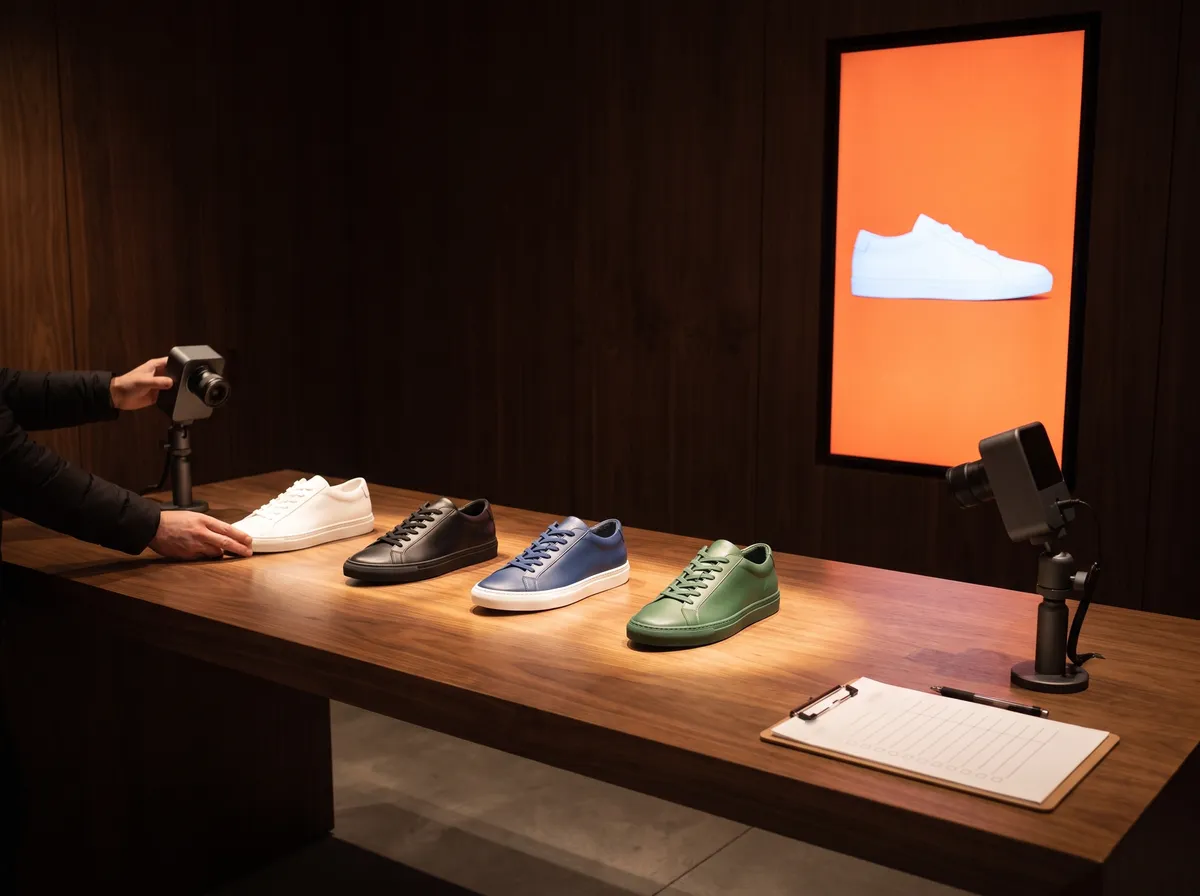
Recognition software that works on a desk can still fail on a shop floor. Every change to GoTrack passes automated checks and a live test on a real product table, and every release can be withdrawn the same day. This is what that looked like over eleven days.
The short answer
A change reaches a store device only after it passes automated checks and a live test on a real product table, and any release can be withdrawn the same day. Between 29 September and 9 October 2026 our field test device received 42 releases. One was withdrawn 1 hour 43 minutes after it went out, because the live test showed it could lose a real pickup.
29 September – 10 October 2026, GoTrack's field test device. Method below.
Releases per day
- 129
- 1130
- 121
- 92
- 03
- 04
- 05
- 26
- 07
- 48
- 391 withdrawn
29 September – 9 October 2026 · releases to the field test device
The path of a change
Automated checks
More than 5,400 checks on the server and 245 on the panel run on every change. Some guard rules that must never drift: each company sees only its own data, every action leaves a log entry, and every text exists in Turkish, English and Spanish.
A preview on real data
Panel changes are checked against real data, on a desktop and on a phone, before they ship. A preview never changes anything live.
A staged release
A change for store devices is prepared and held. It goes out only when someone is at the test table to watch it arrive.
A live table test
Once the device has updated, we run a fixed script. The current one: each product lifted in a set order, a quick lift under three seconds, two products at once, a hand over the lens, the lights off. Every decision lands in the device's log with its time.
Keep or withdraw
The result decides. A withdrawal is itself a new release, so every device moves forward to a known version and none is left half-updated.
The release we withdrew
On 9 October a release meant to stop false double pickups, where two neighbouring shoes were counted when only one was lifted, made the screen wait three seconds before deciding. In the live test a shoe was lifted with the arm crossing its neighbour and put back inside those three seconds: the real pickup was lost, and the screen never reacted.
We withdrew the release 1 hour 43 minutes after publishing it and kept one rule from it: a fix for a false pickup must never delay or drop a real one. The redesigned version is waiting for its own live test, and its result will be published here.
What the logs let us check
Every pickup, put-back, screen showing and camera change is written to a dated log on the store device and reaches the cloud, after an outage too. That log is how we found that our put-back rate read 69% when every shoe had come back: each "missing" put-back was followed by another pickup of the same shoe.
Limits
- One test device and one product table. Store tests add what a table cannot: real shoppers, crowding, and light that changes through the day.
- Automated checks catch what someone thought of. The live test exists for everything else, and it is run by people, so it covers the cases we script.
Questions
How are store devices updated?
Remotely. New versions reach store devices without a site visit, are applied at a quiet moment, and roll back on their own if the new version does not work.
What happens if the store's internet goes down?
Recognition, screens and event recording carry on in the store. Screens play their stored content, and events wait on the device and are sent with their real times when the connection returns. In our test on 4 September 2026, every showing during a 7-minute outage reached the screen and its record reached the cloud afterwards.
What does setting up a store involve?
Cameras that see the shelves, a small device in the store that processes the images, the products added in the panel (from photos, or imported from your product pages) and, if you want them, screens paired to the panel.
See it tested on your products.
We will run the same live test on products like yours.
or write to info@gotonom.com